

 IE
IE


How Easy is it to Get Set Up With ClassForKids?
Setting up activity camps is easier than ever with ClassForKids. In this blog, we’ll walk you through 5 simple steps to get your camp up and running, so you can plan, promote, and manage your best camp yet with ease and confidence. Let’s dive in and see how ClassForKids can help you make it all happen.
By now, you’ll already know that ClassForKids is a great camp booking and management software and that we work with over 3000+ kids activity providers, like you, every day. But, you might have questions like “How long will it take me to get set up?”, “Will I have support from an account manager?” or “Is it easy to get my camps up and running?”.
Lucky for you, this blog will pull back the curtain on the set up process to show you exactly what will happen when you decide to join the ClassForKids community!
Don’t worry, it’s super quick and easy and you’ll have support from our team of experts the whole way through. And, once you’re all set up and ready, you can limit your time spent on admin and focus on what really matters: getting more camp bookings!
So, let’s dive in and find out how to get your activity camps set up with ClassForKids.
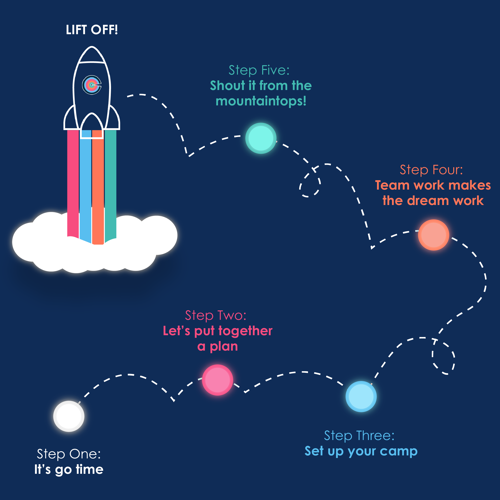
Step One: It’s Go Time
So, you’ve decided to run a camp, congratulations! For a kids activity provider like you, camps and workshops are a perfect addition to your revenue stream, and for parents, camps are a means of childcare during the holidays and are bound to have different needs and requirements from the services you provide.
If you’re already a ClassForKids customer, simply head to the Camps section on the left hand side menu in your system. Pop in details like your camp name, dates, venue, capacity and whether you’ll be offering extra features like full or half-days, early drop-off and late pick-up. Once that’s done, you’re ready to go!
If you’ve already had your personalised demo, you’ll already know some of the awesome features our software offers like full weeks, individual days, half days, early drop offs and late pick ups. In other words, you’re giving your parents more flexibility to choose options that suit their needs during the holidays - it’s a no brainer.
If you’re not a ClassForKids customer just yet, you’ll want to book a set up call with our knowledgeable team! You’ll be shown a demo of our system and be allocated a team member to help you through the process of setting up: we won’t just leave you hanging!
To start your journey, simply click here and book your call today.
Step Two: Let’s put together a plan
Once you’ve had your demo and you’re ready to get going, your Account Manager will show you exactly what your new system can do for you and go over how you can create your camp. We’ll even help you create a concrete plan for how you can best use the system and ways you can increase your holiday camp bookings by using your booking schedule across your social media platforms and embedding it onto your website (if you have one!).
Step Three: Set Up Your Camp
Next, you’ll have a look around the system, set up some initial things and familiarise yourself with everything. This is when you’ll create your activity camp on the system, set up your payment options and invite your team to use the system!
How quickly you want to get set up is totally up to you; some of our customers are set up and ready to take bookings the next day. We’ll work to your timescales to make sure you’re ready to go when you need to.
Setting up a camp with our system is really simple. All you need are your dates, times, spaces available for booking and your pricing. You’ll have the option to add in full days, half days, early drop offs and late pick ups at this stage too.
Don’t worry if it seems like a lot, you will also receive a detailed to-do list to follow at this stage!
Step Four: Team work makes the dream work
By now, you’ll have set up the system to suit you and your team. Your Account Manager will keep in contact with you throughout this process to make sure everything has gone smoothly, and to allow you to ask any questions you might have. Whether you've set up a brand new summer camp, easter camp, winter camp or general sports camp, you're super close to the finish line now!
Step Five: Shout it from the mountaintops!
You’re all set up and it’s time to take bookings for your holiday camp! If you already have a list of interested parents, this is when you’ll want to invite them to book the camp. With our booking system, you can send your parents emails in bulk inviting them to book - it couldn't be easier. It’s also time to spread the word about your camp anywhere you can: on flyers, through emails, and on social media!
Pro tip: You can set up a direct booking button on Facebook to make it extra easy for parents to book your camp!
And that is how easy it is to get set up with ClassForKids! In five easy steps, you have a fabulous booking and management system that allows you to take on more bookings, makes parent communication easier, gives you instant access to your registers, and most importantly: GROW your holiday camp!
Once you’re part of the ClassForKids community, you have access to our award-winning Customer Success team. If you have any additional questions, our support team is there to help. You can contact them using the instant messenger on the dashboard of your ClassForKids system, or email support@classforkids.co.uk.
Are you ready to take the leap? Set up a demo with one of our experienced team members today.
